No-download guest photo sharingOne scan. They're in.
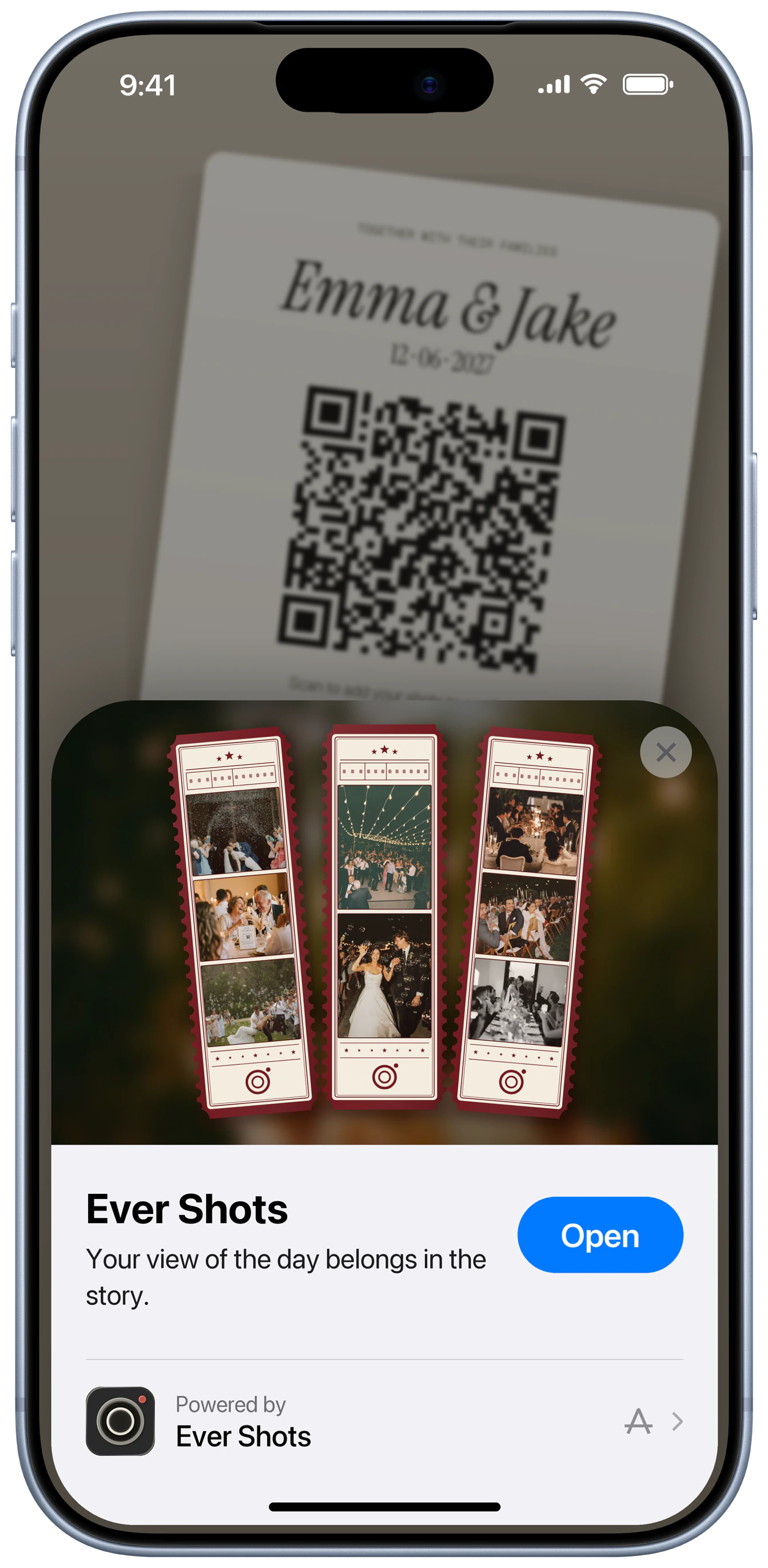
Guests scan a QR code or tap a link. On iPhone an App Clip opens the camera, and on Android the camera opens in the browser. There is nothing to install and no account to create, so the first frame can happen seconds after the scan.
What each guest sees
- 01
iPhone: the guest points the Camera app at the QR code. An App Clip card appears, and one tap opens the camera. No App Store visit, no sign-in.
- 02
Android: the guest scans the same QR code, or taps the link, and the camera opens in the browser. Nothing to install.
- 03
Both: the guest sees the camera, the number of frames they have left, and three filters. Captions are optional.
- 04
Frames upload in the background. The roll stays sealed for other guests until the reveal you chose.
Guests and shots
- Put the QR code where guests already look: the welcome sign, the table, the invitation.
- Say 'no app needed' right on the sign. It is the line that gets hesitant guests to scan.
- Share the link as well as the QR code in the group chat for guests who are not at the venue yet.
Where to put the QR card
Place the QR code at the point of entry, plus a second code wherever guests wait, such as the bar or the buffet line. Keep the code at least 3 cm wide on a printed card so older phones scan it quickly.
Sign wording
- “Scan to shoot. No app. No account.”
- “Point your phone camera here to join the film.”
- “Join the roll in one scan.”
Questions
Do guests need an Apple ID or Google account?
No. Guests join with the QR code or link, without creating an account.
What if a guest's iPhone can't open the App Clip?
App Clips run on iOS 14 or later. A guest on a phone that can't open the App Clip can use the same QR code or link in the browser.
Does it work on Android without an app?
Yes. The camera opens in the browser on Android, with the same shared roll as iPhone.
Can guests use it without mobile signal?
Guests can keep shooting offline and their frames sync automatically once their phone reconnects.
Do hosts need the app?
Yes. The host creates and manages the film in the Ever Shots app. Only guests are exempt from installing it.
Try it at your own event.
Create a film in under a minute. Your guests never need to download a thing.